从 DSM 获取高度(Z)值
本部分介绍了从数字表面模型 (DSM) GeoTiff 获取 ROI 高度(或 z)值的参数和控制。
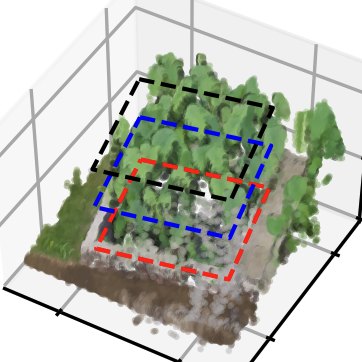
待续
保持 CRS 和警告
我们可以注意到,roi 的 x 和 y 值也发生了变化。因为 ROI shp 地理坐标是 EPSG::4326,而 DSM 是 EPSG::32654
如果你想保持 x 和 y 值,你可以:
>>> roi.get_z_from_dsm(lotus.metashape.dsm, keep_crs=True)
>>> roi[0]
array([[139.54052962, 35.73475194,  97.39808655],
       [139.54055106, 35.73475596,  97.39808655],
       [139.54055592, 35.73473843,  97.39808655],
       [139.54053438, 35.73473446,  97.39808655],
       [139.54052962, 35.73475194,  97.39808655]])
但强烈建议使用与 DOM/DSM 相同的 CRS,否则在以后的使用中会引发 ValueErrors。
File d:\onedrive\program\github\easyidp\easyidp\geotiff.py:159, in GeoTiff.crop(self, roi, is_geo, save_folder)
    156     else:
    157         save_path = None
--> 159     imarray = self.crop_polygon(polygon_hv, is_geo, save_path)
    161     out_dict[k] = imarray
    163 return out_dict

File d:\onedrive\program\github\easyidp\easyidp\geotiff.py:212, in GeoTiff.crop_polygon(self, polygon_hv, is_geo, save_path)
    210 with tf.TiffFile(self.file_path) as tif:
    211     page = tif.pages[0]
...
--> 815     raise ValueError("h and w must be strictly positive.")
    817 i1, j1 = i0 + h, j0 + w
    818 if i0 < 0 or j0 < 0 or i1 >= im_height or j1 >= im_width:

ValueError: h and w must be strictly positive.